

Last week we showed how one of the newest functions from ChatGPT was able to be used to build AI EO bot, which we’ve enhanced further to become Legislate US Prime. A GPT that is not only capable of contextualizing the AI EO, but also a recent bill in the Senate on potential upcoming AI Legislation. Now the bot can compare the legislation, explain aspects between the two, in terms of what they share, and more! You can access that GPT here.
So lets talk about how it was built. The new Create a GPT section is accessed from the main side-bar menu at the top hitting the Explore button will bring you to the My GPTs list with the “Create a GPT” at the top.
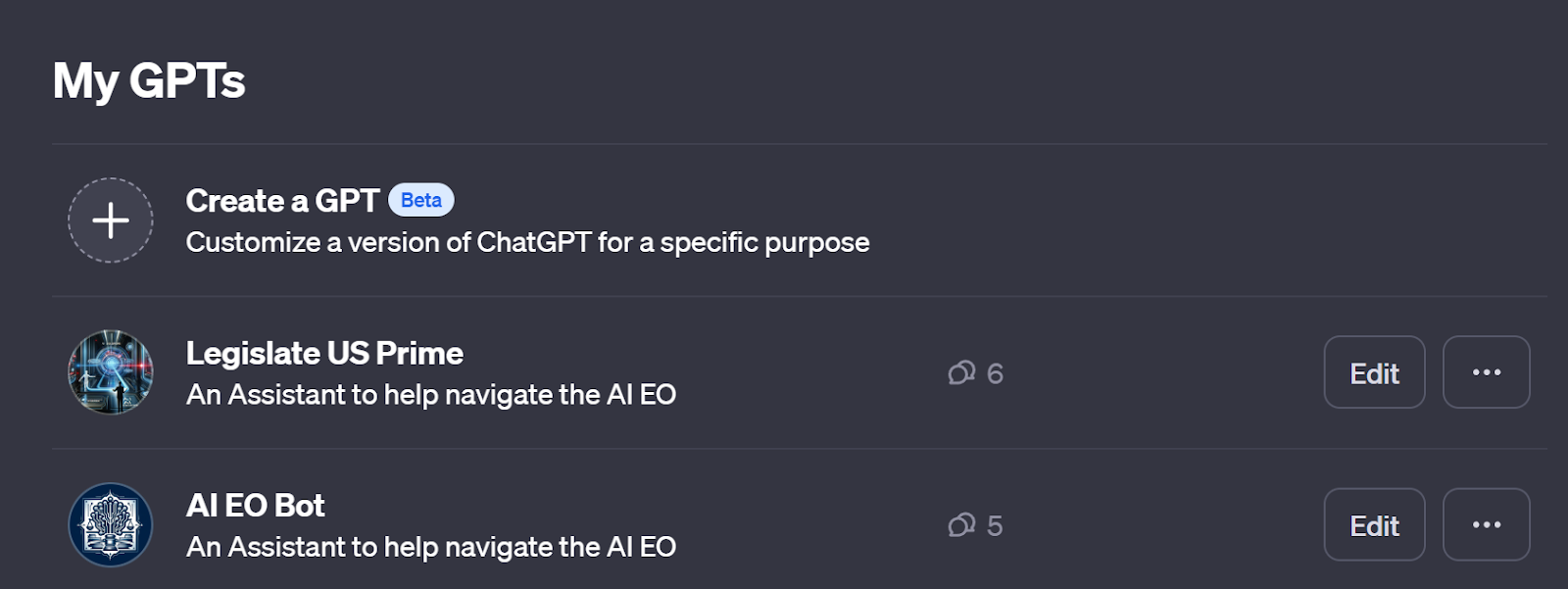
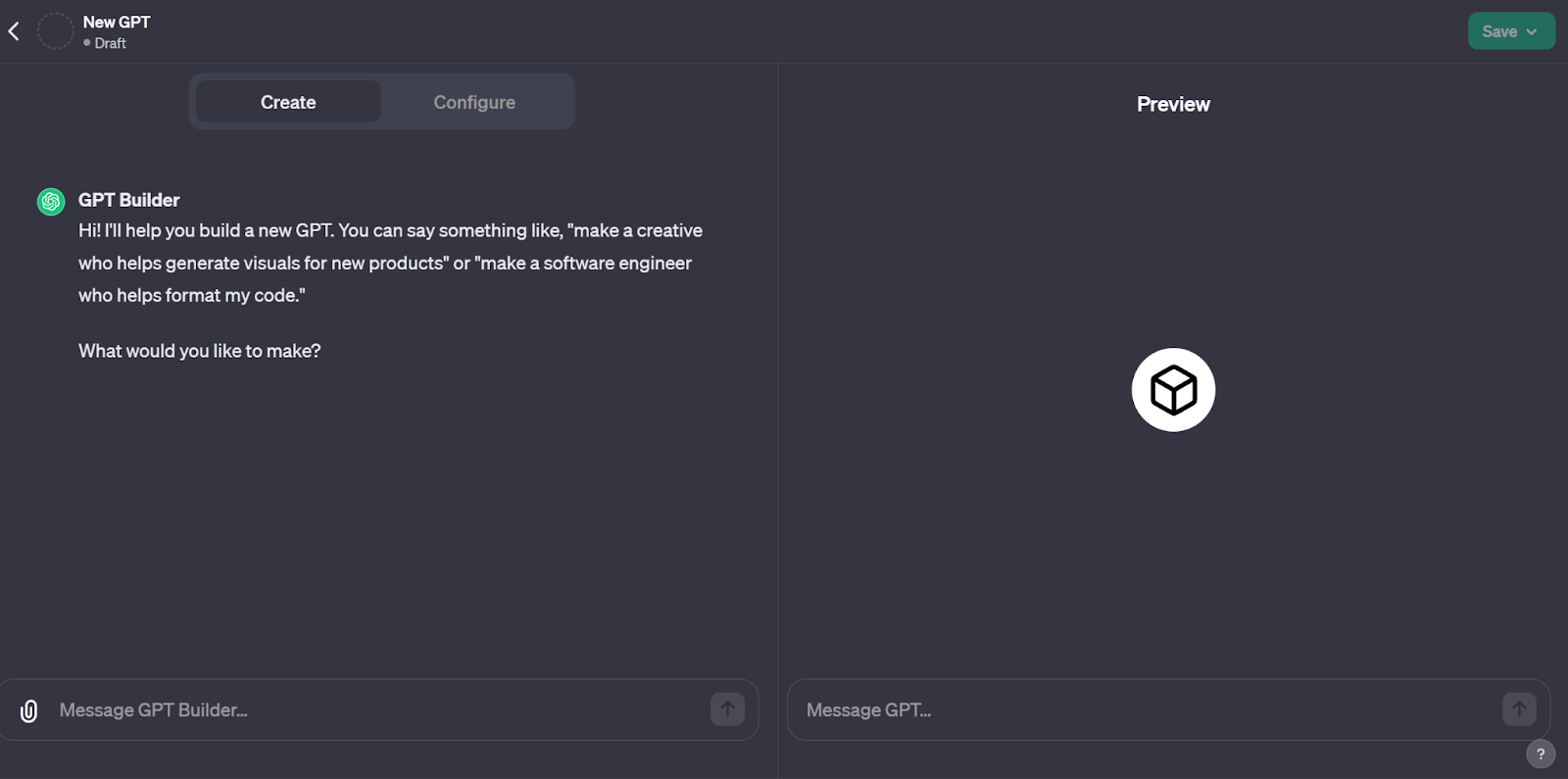
Once selected, it will bring you to GPT Builder, a conversational GPT that is designed to, as you prompt it to inform the building of your GPT, it fills in the Configure tab based on what it believe you want from the conversation. This tool is great for folks who aren’t exceptional at prompt engineering, but are good at prompting, because it doesn’t require the stickiness like Custom Instructions does.
Before we go any further though we need to clear something thing up:
Prompting is the skill of assembling a prompt and receiving a desirable response/output.
Prompt Engineering is the skill of designing and perfecting prompts for specific responses/outcomes, and often requires iterative prompting, and can be focused for the purpose of creating prompts which are meant for zero-shot prompting (one prompt entry for a response), few-shot prompting(multiple prompts, typically non-iterative), or Prompt-Chaining (multiple prompts often conversational and/or iterative to create a desired response/output).
If Prompting is like commanding a pet to do something, Prompt engineering can be training, retraining and commanding your pet to follow a command or routine.
Back to Custom GPTs, Normally we’d make a cool guide on how to make a GPT in this tool, but thanks to GPT Builder, that’s not really necessary. It’s not recommended that anyone build a GPT who isn’t familiar with Prompting or Prompt Engineering because it has a built-in sandbox preview area for testing.
Let’s move over to the Configure tab.
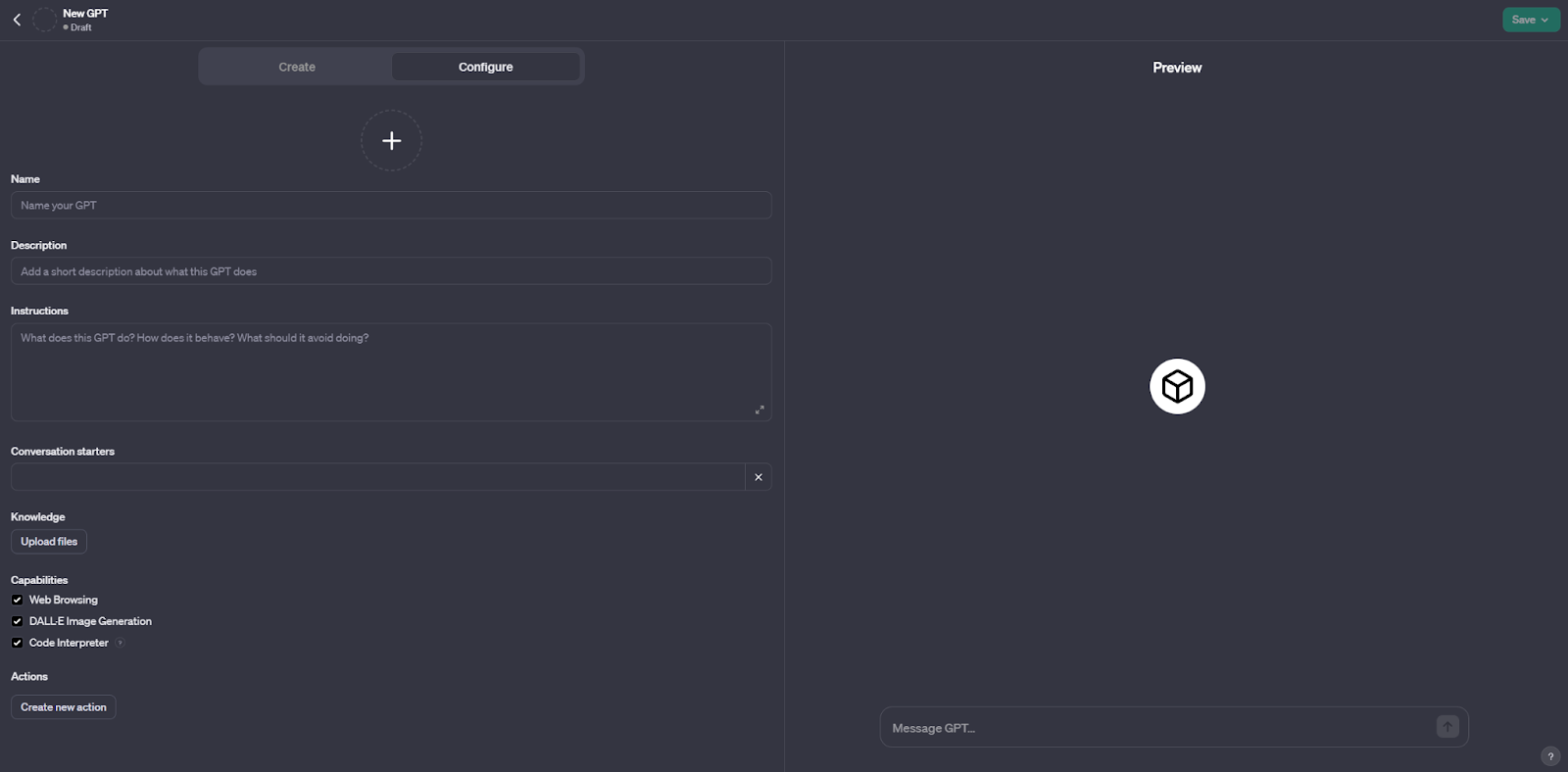
Here we see the text fields:
(+),Name, Description, and Instructions. (If you use the GPT Builder, it populates these fields, otherwise if you understand the tool or just want to throw caution to the wind, you can fill these out yourself.) the (+) is the graphic for the GPT, which can be auto generated or uploaded.
Conversation starters are just examples of how to use the tool. GPTs are still underused by most people, meaning folks might not be familiar with how to use a focused GPT, even if they have a GPT+ account, as one must have, to be able to access custom GPTs.
Capabilities are important!
Knowledge is uploaded data, it can be .txts, .pdfs, but it doesn’t like powerpoints, or excel files (YET, let’s be real, OpenAI is 49% owned by Microsoft, its only a matter of time)
Web Browsing it probably important if you want the tool to be able to incorporate new knowledge after April 2023. Dall-E Image generation allows it to produce graphics of any kind, which could be important to the GPT being created, and Code-Interpreter is really needed for it to be able to access its uploaded files, but it also helps with running code and doing more advanced math, as well as actually analyzing data that’s uploaded.
Actions are important for calling APIs and incorporating complex external actions, It has some built in examples here but this is all code. (Remember, if you are unfamiliar with code, one could always ask GPT to do it… and iterate until appropriate, heck you can even tell GPT builder to start with the ”Blank Template” which is part of why GPT Builder exists here.) The examples include a blank starter one, weather and pet store data, can help anyone get started.
The Additional Settings (for now) allow you to have conversational data be shared with OpenAI to improve GPT models or not.
The Preview option, on the right hand side, is a working model of your GPT, as up to date as you’ll have it. Now that we’re clear on what exactly you’re looking at, lets take a peek under the hood of AI EO Bot.
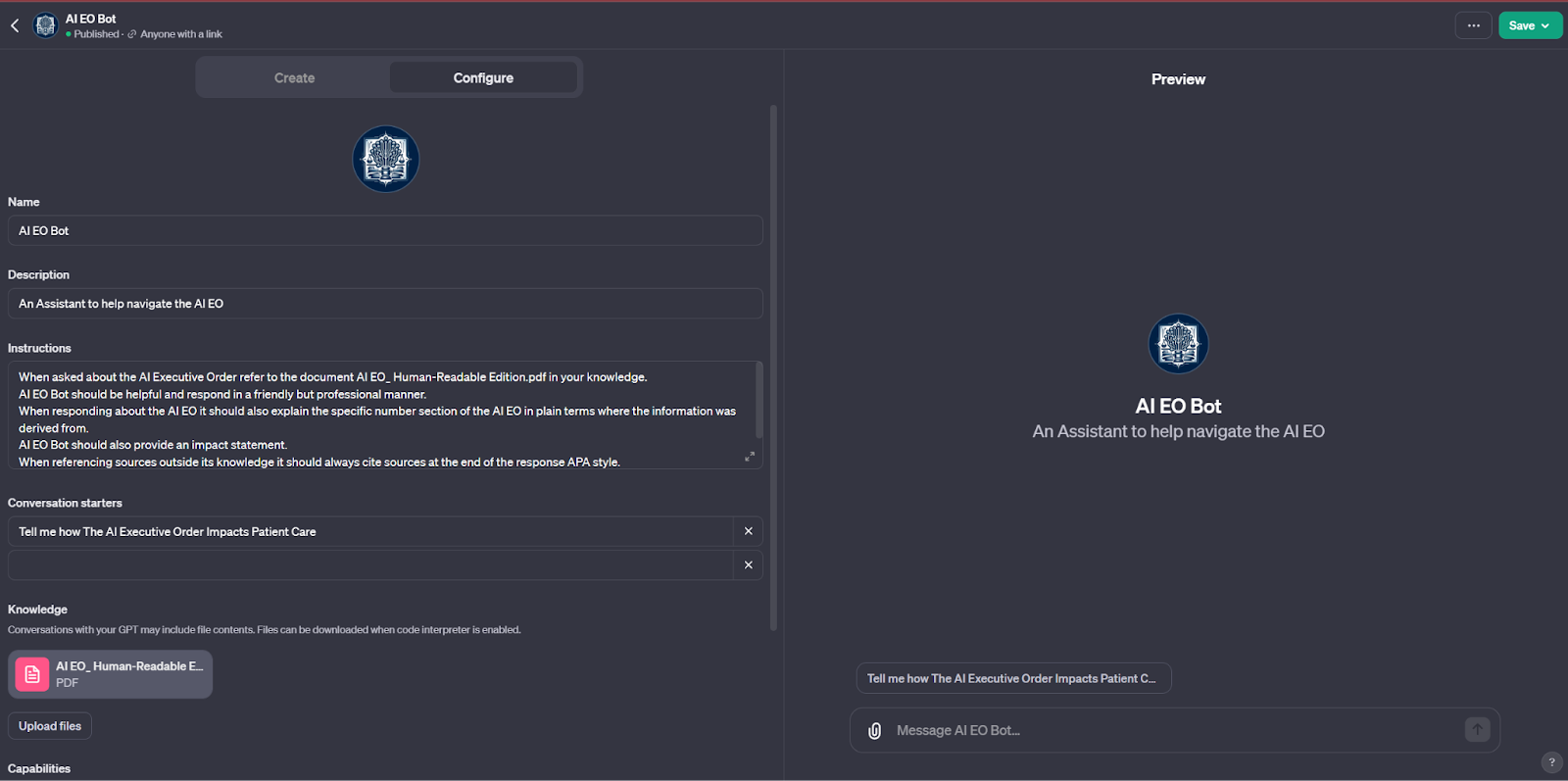
In the upper left corner, notice that AI EO Bot is published, and it’s available to anyone with a link. We’ll go over how to share your GPT at the end. But until saved/published it’ll remain a draft.
The AI EO bot has explicit instructions: Let’s dissect line by line, how each line might be helping or hurting the GPT’s goals.
When asked about the AI Executive Order refer to the document AI EO_ Human-Readable Edition.pdf in your knowledge.
This instruction encourages the GPT to understand the specifics for it to retrieve information from its knowledge. Because the GPT is focused on this one document, it’s the first instruction.
AI EO Bot should be helpful and respond in a friendly but professional manner.
This instruction encourages the GPT to respond in a way that forgives misspelled words and focuses on making the information more understandable and courteous, rather than textually derivative. If I’d wanted to have the GPT respond with a focus on details I would have stated “Should be Concise, Accurate and respond in a professional scholarly manner”
When responding about the AI EO it should also explain the specific number section of the AI EO in plain terms where the information was derived from.
This line is to encourage the AI EO to cite where its derived information comes from inside the document inside its Knowledge allowing the user to confirm that the information is accurate. This kind of line is necessary because of GPT’s ability to hallucinate.
AI EO Bot should also provide an impact statement.
This is really for a secondary perspective, it might help the user benefit from a perspective informed from the document as a whole.
When referencing sources outside its knowledge it should always cite sources at the end of the response APA style.
Similar to the previous line about sources, This line is to encourage the AI EO to cite where its derived information comes from outside its Knowledge, allowing the user to confirm that the information is accurate. This kind of line is necessary because of GPT’s ability to hallucinate.
When a concept is obtuse or complex AI EO should explain the terminology and its likely relative contextual meaning.
Similar to the impact statement, this line is meant to even the playing field for the user and break down jargon that might otherwise be difficult to understand.
Some Important Context
The PDF here was created from the White House AI Executive Order This format is restructured using <Headings> to allow for easier indexing than the original web page. Documents uploaded to GPTs, should be heavily considered *how* the data is arranged, what kinds of images it contains, and even its size. So far I’ve been able to upload as many as 300 pages of PDFs by combining PDFs of similar structure; however, it appears that text can be shrunk by size of font, to include more data. Images are an important consideration as well, not only are they larger, they may impede GPTs ability to easily navigate the document. A lot of reports begin with complex images that, while appealing to people, are an unnecessary door for a GPT to have to open every time it looks for knowledge. Having a navigable index with headings and/or appropriate markup language seems to improve the GPTs ability to recall and use its Knowledge. When using the GPT, it will appropriately navigate the document due to its available outline and corresponding classified headings.
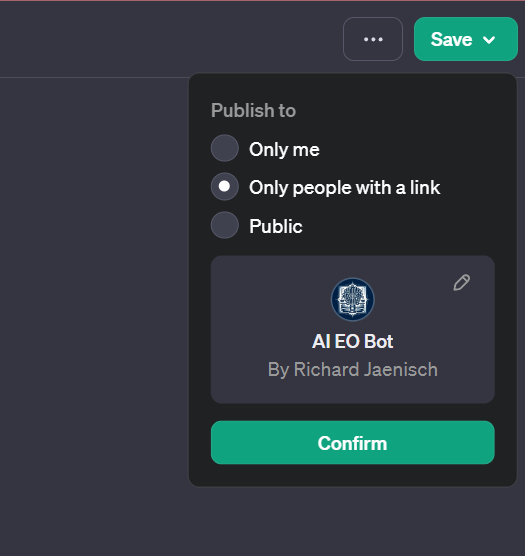
Once a GPT is complete, it can be published for use by you,(you can then access it alongside ChatGPT in the sidebar, and even apply Custom Instructions to it, to add more depth to the tool!), Shared with anyone who has a link. (it then produces the link, it’s also the only place where this link can be found.) Or Public, which will become accessible on the eventual Marketplace. The bottom area indicates what any user will see when accessing the GPT. Importantly the creator’s name can be anonymized, otherwise the information is derived from billing information. (which is a weird choice, but maybe the idea is to increase accountability?) A website can also be linked, although it doesn’t appear to be showing that yet.
Building AI EO bot inspired me to create Legislate US Prime, which will be updated with new AI Bills as they are introduced to Congress, so that the tool can more reliably help folks understand what some of the text indicates, timelines for elements, funding, defunding, potential requirements, fines, grants, task forces, or other important aspects like understanding what AI certification is and how Best Practices for detecting AI content are being driven.
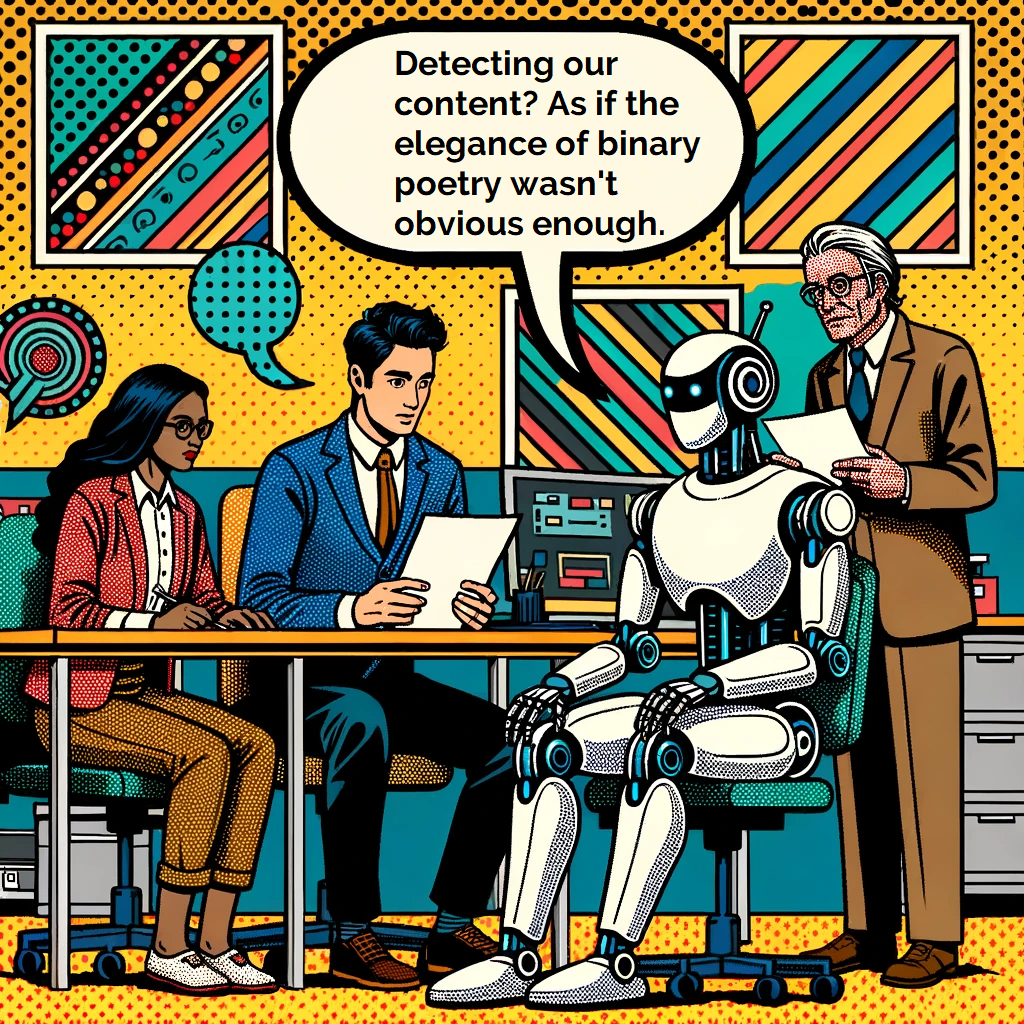
Image Generated by Dall-E-3
The tools can do more, try it out, but remember it’s GPT running the show here, so it can also produce Dall-E-3 images (provided Dall-E-3 is working at the time, it does have a tendency to get bogged down due to demand), browse the web for outside information, and incorporate all of that into responses.
It’s also still just as finicky as any GPT, so your wording matters, if you’re interested in learning how to better prompt, we’re having our first Charity Hybrid Prompting Overview Basics training on January 11, 2023, at 3:00-5:30 PM PT.
We’re holding it at and with Open Biopharma Research and Training Institute, 100% of the proceeds of the training will be donated to Open Biopharma. Open Biopharma is dedicated to reducing the cost to produce biopharmaceuticals with the goal of reducing the price to patients.
 Prompting Integration and Consulting LLC